Hospitality staff scheduling, without spreadsheets.
Staff scheduling with automatic Dimona filings to the RSZ — for regular staff, students and flexi-jobs.

Workly Staff keeps the whole team on one calendar. You plan shifts against availability, your people see their week in the staff app, hours are captured at the door, and the Belgian paperwork - Dimona, payroll exports - happens in the background.
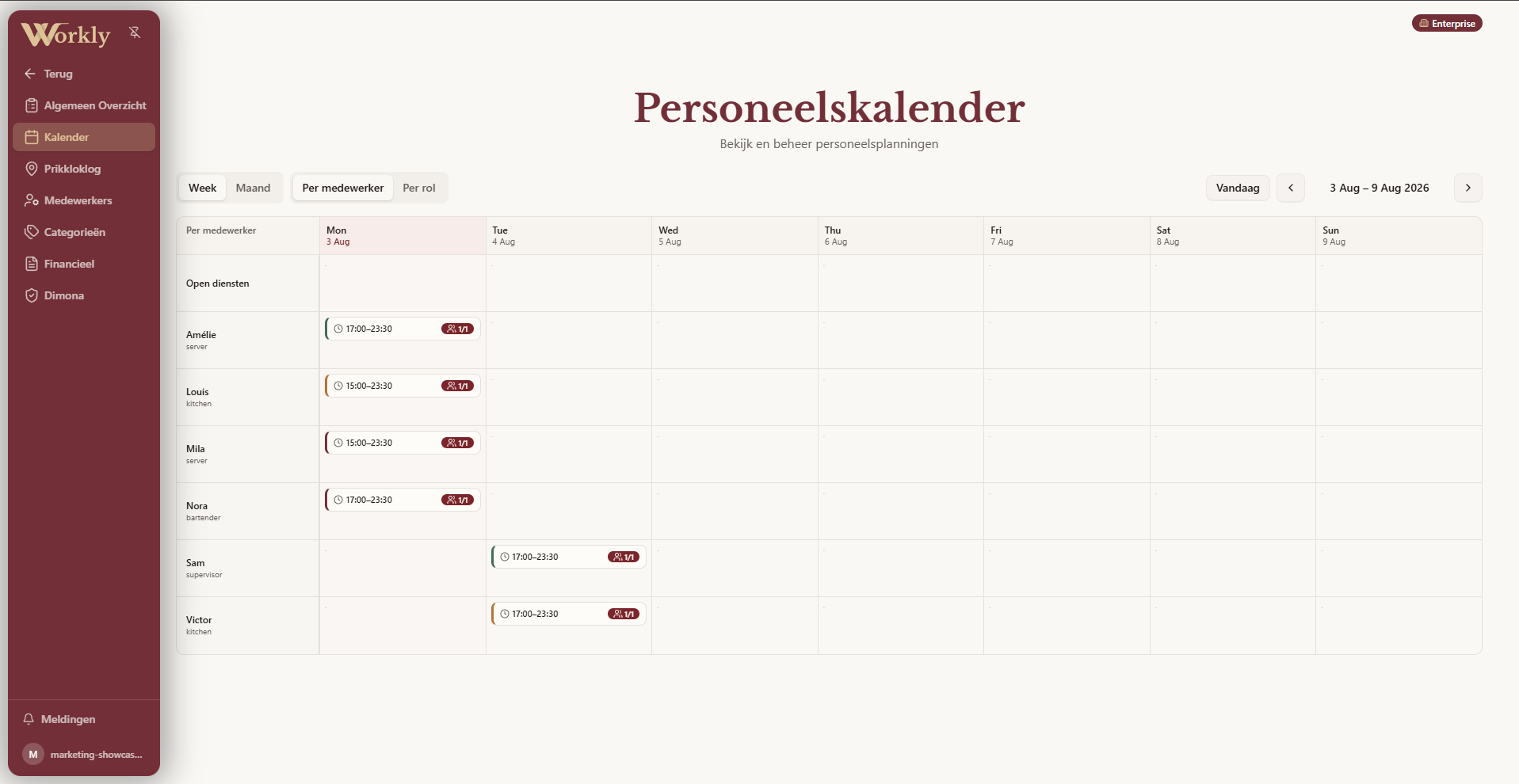
Scheduling without the spreadsheet
Build weekly rotas on a shared calendar with roles and staff categories. Availability, time off and events are all visible while you plan, so conflicts surface before they reach the floor. Role-based permissions decide who can plan, approve hours or see financials.
A staff app your team actually uses
Every employee gets their own login: upcoming shifts, clock in and out, profile and documents. Hours are recorded as they happen - no end-of-month reconstruction. The staff portal keeps the same information reachable outside the app too, on any phone.
Dimona and payroll, handled
Workly files Dimona declarations with the Belgian RSZ automatically: one long-lived declaration for regular staff, and per-shift declarations for students, flexi-jobs and extras. Worked hours flow into payroll-ready financial overviews, ready to export for your social secretariat or accountant.
How it works
- Add your teamEmployees, roles, categories and contract types.
- Plan the weekDrag shifts onto the shared calendar against real availability.
- Staff clock inThe staff app records hours at the start and end of every shift.
- Paperwork files itselfDimona declarations and payroll-ready hours, without a single form.
Frequently asked questions
Does Workly really file Dimona automatically?+
Yes. Once your RSZ mandate is in place, regular staff get one long-lived Dimona declaration and students, flexi-jobs and extras get per-shift declarations - created and cancelled as your planning changes.
Which contract types are supported?+
Regular employees, students, flexi-jobs and extras - each with the correct Dimona type and hour registration.
Where do staff see their schedule?+
In the Workly staff app and staff portal: shifts, hours, clock-in and profile in one place, on any phone.
Can I export hours for my payroll office?+
Yes. Worked hours and financial overviews export cleanly for your social secretariat or accountant.
Can managers have different permissions?+
Yes. Role-based permissions decide who can plan, approve hours or see financials.
Is Staff & Dimona also available separately from the full platform?+
Yes. Staff & Dimona is available as a standalone module alongside the full Workly platform; pricing is quoted on request based on your team size.
Can I review worked hours before they go to payroll?+
Yes. For every period you first confirm worked hours per employee - only then do they flow into a payroll-ready overview.
Plan next week in ten minutes.
Request a demo and explore the staff flow for your team.