Gift voucher management at the counter.
Gift voucher terminal for hospitality from €199.99 + €5/month — limit staff fraud at the counter.

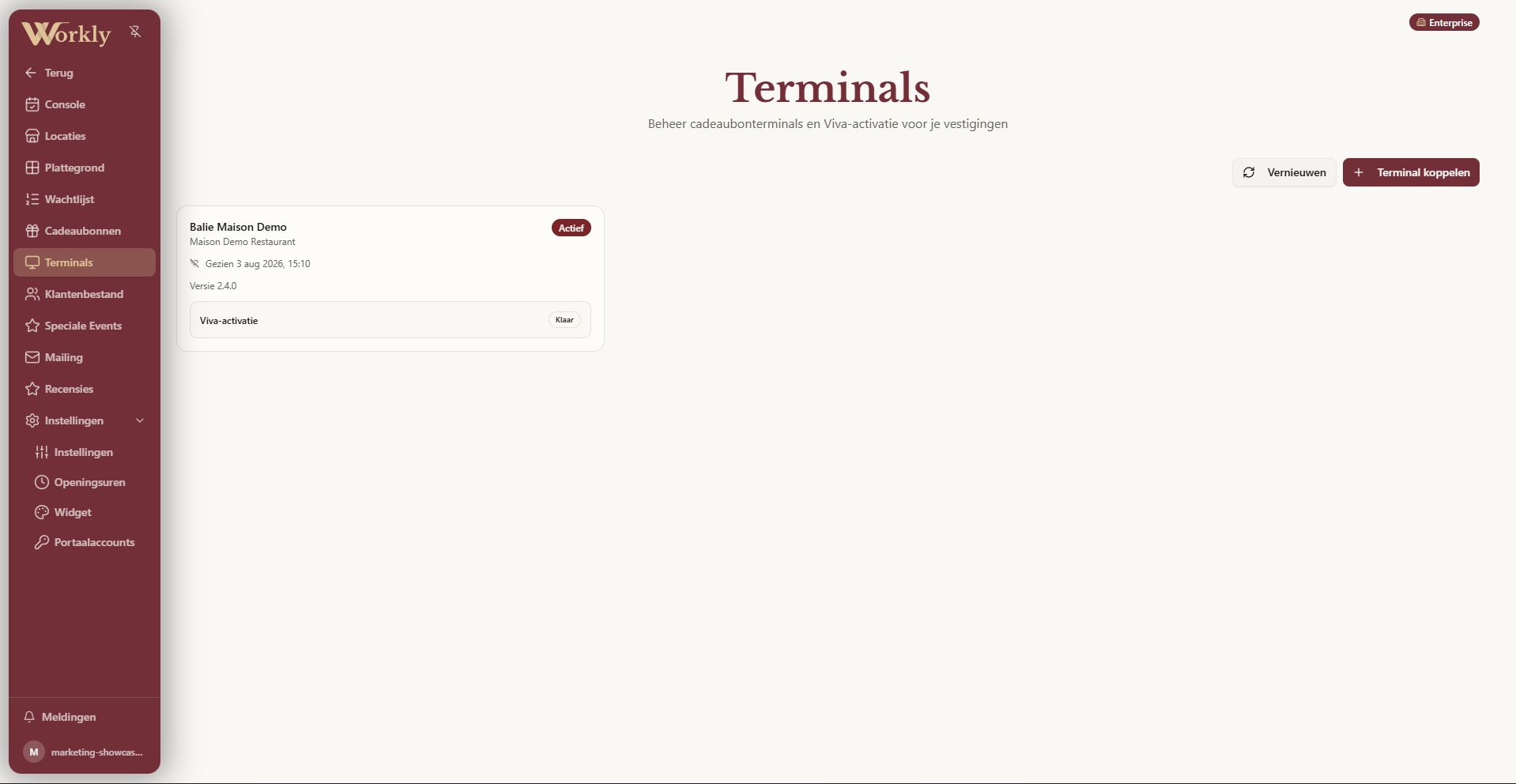
The Workly Voucher Terminal makes gift cards straightforward for the team at the counter. One scan brings up the right card and its live balance; from there you can redeem any amount, manage the card or return to the scanner.
Scan or enter the code
Point the camera at the voucher QR code. If the code is hard to read, enter it manually instead. Workly immediately shows whether the card is active and how much balance remains.
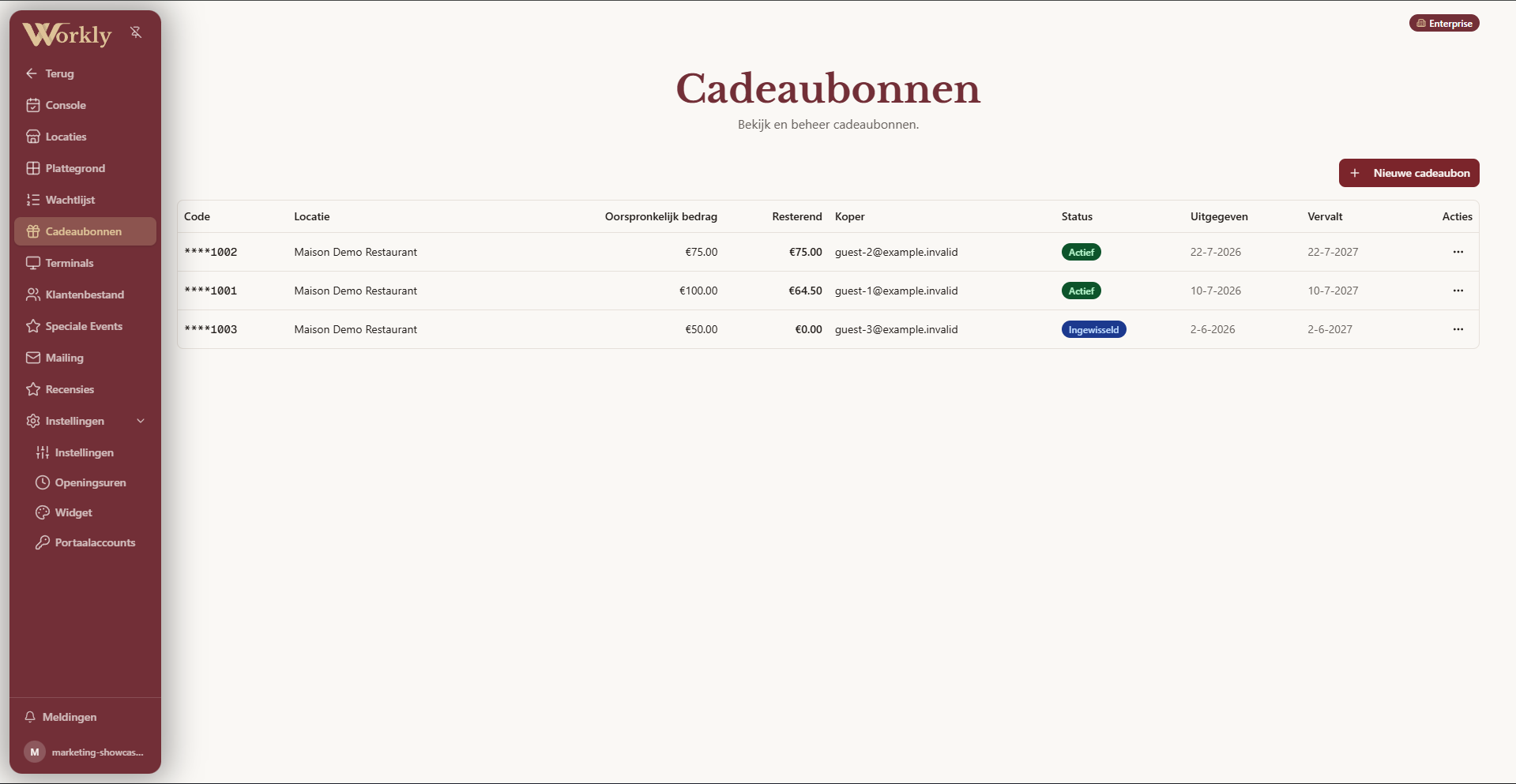
Redeem the exact amount
Choose how much of the gift voucher to use. Workly checks the available balance, processes the redemption and immediately shows what remains on the card.
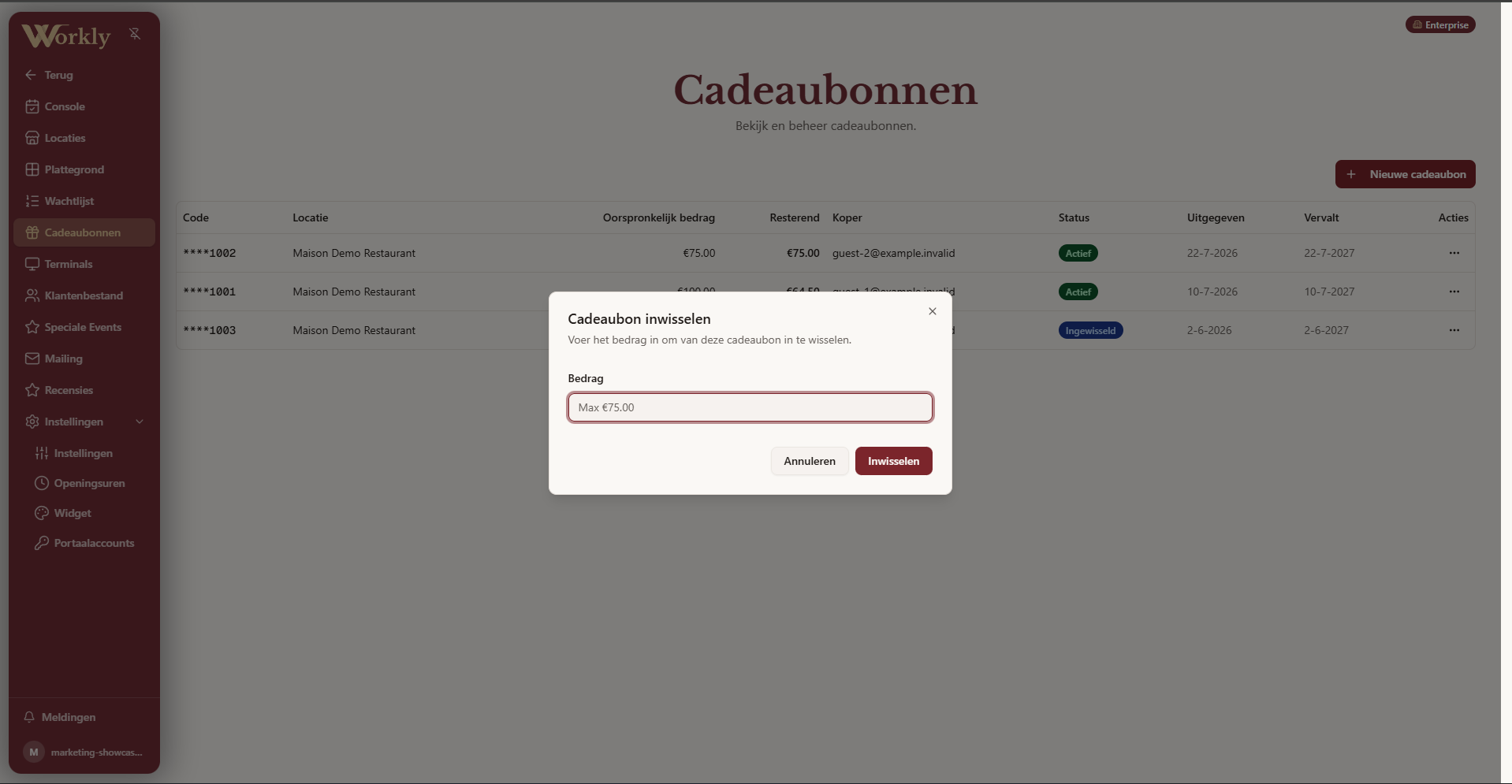
Create and activate gift vouchers
Create a new gift voucher with its own code, value and expiry date. Add recipient details when needed and manage every card from the same overview.
How it works
- Scan the voucherUse the QR code or enter the code manually.
- Check the cardSee its status and available balance before continuing.
- Choose the actionRedeem an amount or activate a new gift voucher.
- Balance updated instantlyThe transaction and new balance appear in Workly immediately.
Frequently asked questions
What can the gift voucher terminal do?+
It can scan gift vouchers, check their status and balance, redeem any amount, and create and activate new cards.
Can I create a new gift voucher in Workly?+
Yes. Choose the venue, value and expiry date, and optionally add recipient details. The new code appears in the voucher overview immediately.
Can I enter a code manually?+
Yes. Alongside camera scanning, staff can enter the gift voucher code when a QR code is damaged or difficult to read.
Can I use only part of the balance?+
Yes. You choose the amount to redeem and the remaining balance stays available on the same gift voucher.
Are transactions recorded?+
Yes. Workly keeps recent activations and redemptions for each terminal, so the team can review the history.
How much does the gift voucher terminal cost?+
The secured gift voucher terminal costs €199.99 one-off plus €5/month. It limits staff fraud, since activation, top-up and redemption only happen through the connected terminal.
Gift vouchers without the counter-side search.
Scan, check and redeem in a few clear steps.